
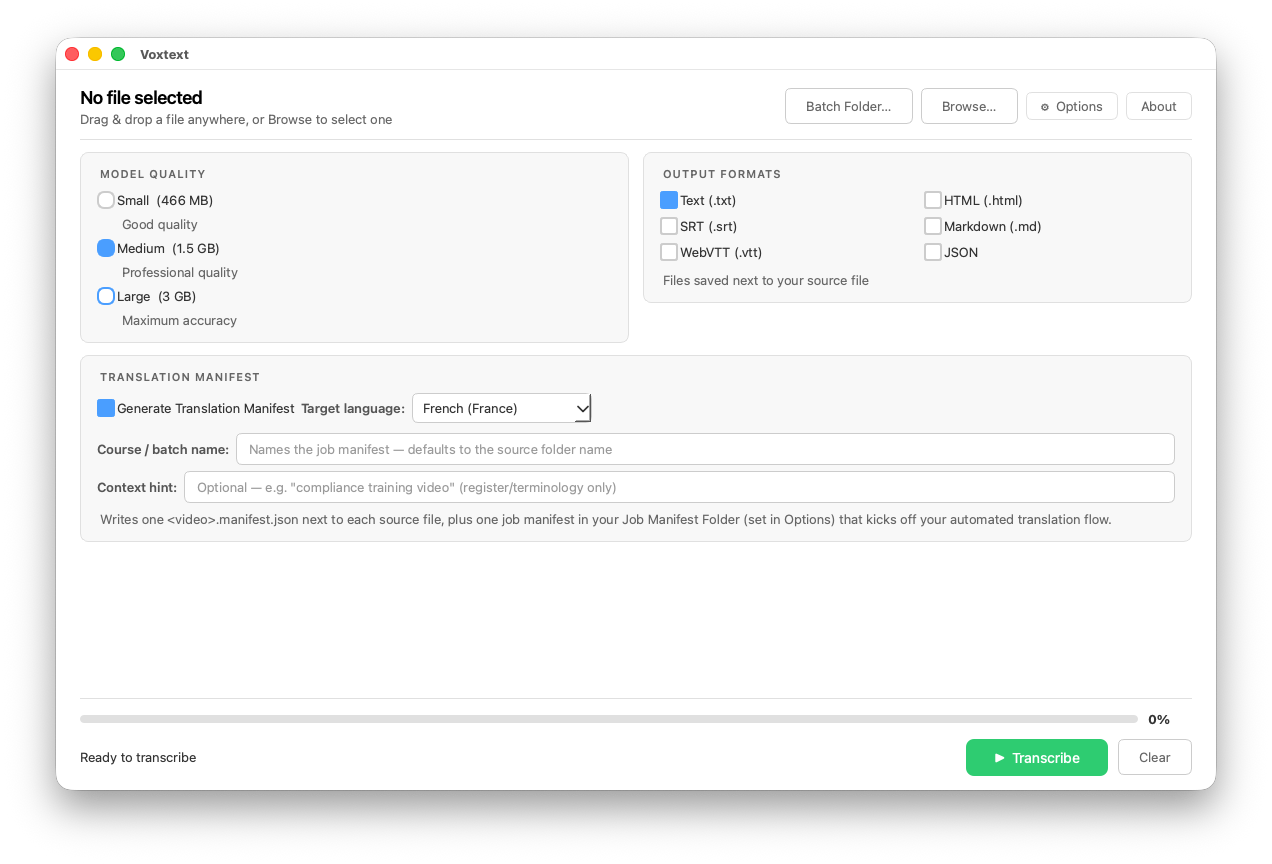
Voxtext 1.8 has a new feature that most people will never see, and that’s on purpose.
I built it for a workflow of my own: transcribe locally, then hand the transcript to an automation that translates it and writes the captions back, with no copy and paste between windows. When you turn on Translation Manifest Delivery in Options, Voxtext writes two small JSON files. One goes next to each video and holds the timings, the text tagged by segment, and the target language. The other is a job file that lands in a folder you choose, so a watch-folder automation knows there’s work waiting. Voxtext doesn’t translate anything itself or talk to any service. It just prepares the handoff.
It’s off by default and hidden until you enable it, so everyone else still gets “drag a file in, get a transcript out.”
I tested it with a SharePoint/OneDrive folder and a Power Automate flow, so that’s the only setup I can vouch for. But it’s plain JSON, and if you want to build your own version, the schema, the field-by-field details, and some examples are here: /voxtext/voxtext-translation-manifest-delivery/. One heads-up: the manifest contains your transcript text, so it goes wherever that folder syncs.
.